A Head Unit for Holly Cooper
A custom Raspberry Pi head unit for my wife's first-generation MINI. The trick was making it feel like it belonged there.
Lily, Holly, and a new project
My wife loves her first-generation MINI Cooper. Her first one was Lily Cooper. After Lily was totaled, she bought another used MINI to replace her, and this one became Holly Cooper.
Of course, getting another MINI wasn't quite the same as getting her MINI back. We wanted to make Holly her own.
Part of that meant bringing some newer features into the car. I wanted a screen, navigation, music, a rear camera, and physical controls without turning the center of a charming little MINI into an aftermarket stereo display.
The constraint was simple to describe and a lot harder to build around: newer technology, but no dashboard that looked like it had been replaced by a tablet.
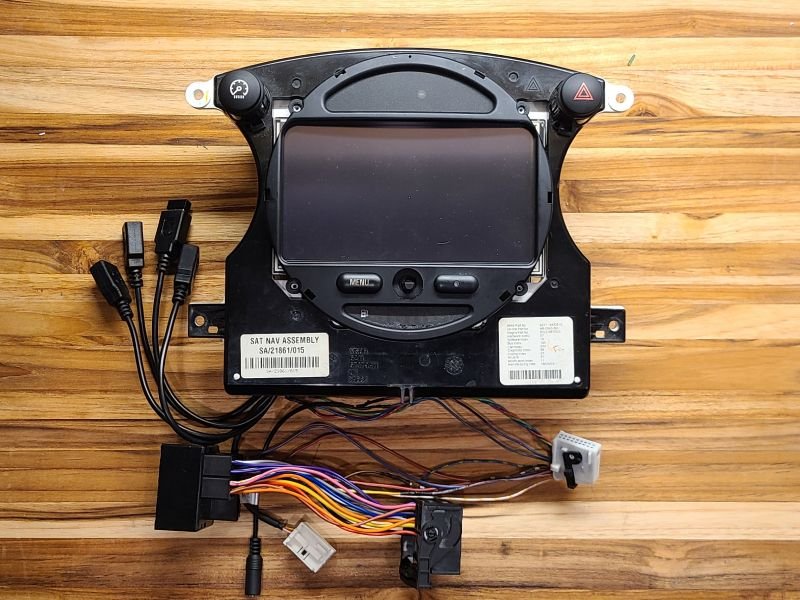
Modern inside, MINI outside
The first experiment was a Raspberry Pi running OpenAuto Pro. It established that the idea could work, but the prototype still looked like a prototype. I even mocked up a seven-inch display before deciding it was too much screen for the dashboard.
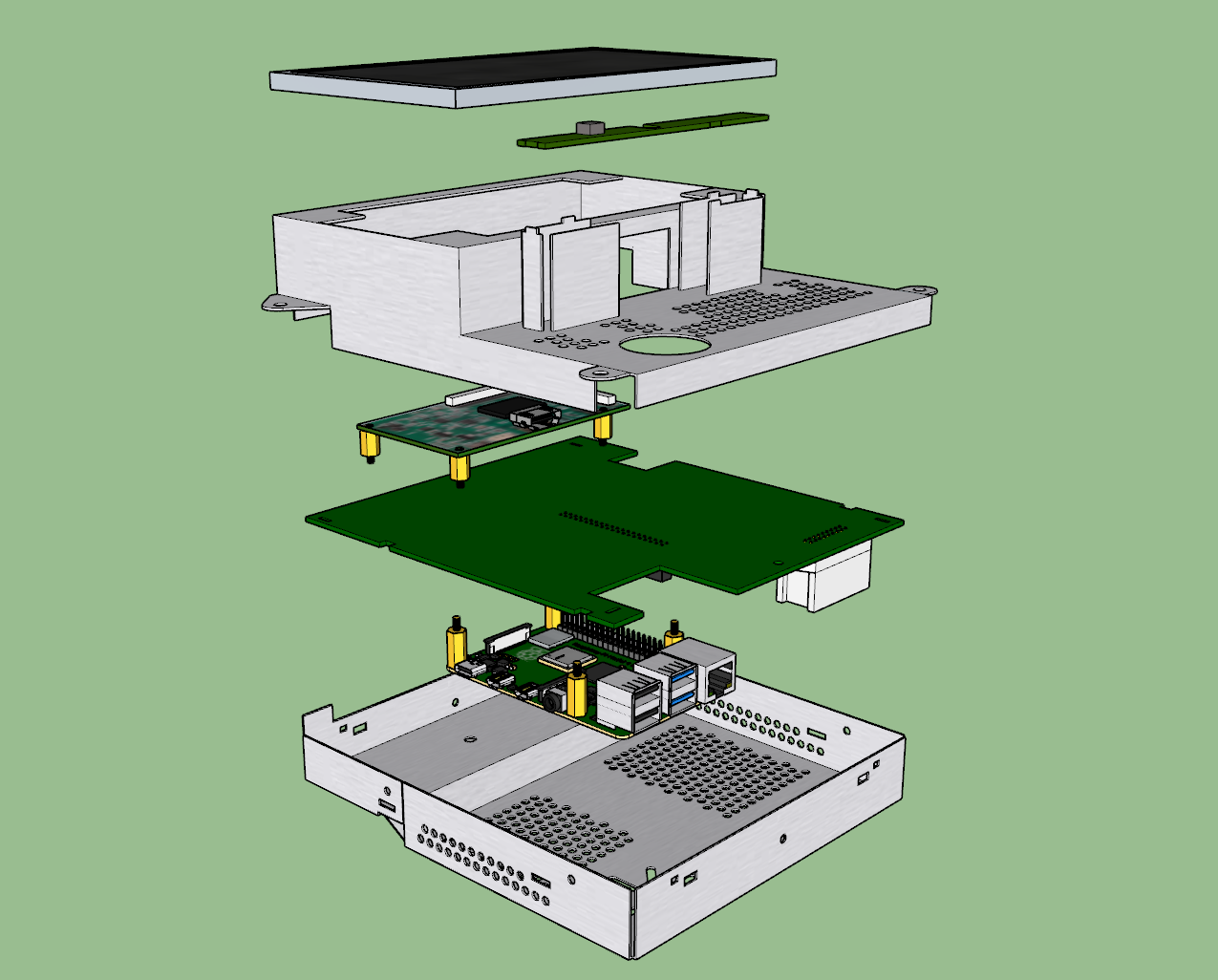
I chose the original factory navigation housing and a 6.5-inch screen instead. The seven-inch mockup technically fit, but it looked wrong. Keeping the rotary control and buttons meant the system could still feel like a MINI and remain usable without relying on a touchscreen for every interaction.
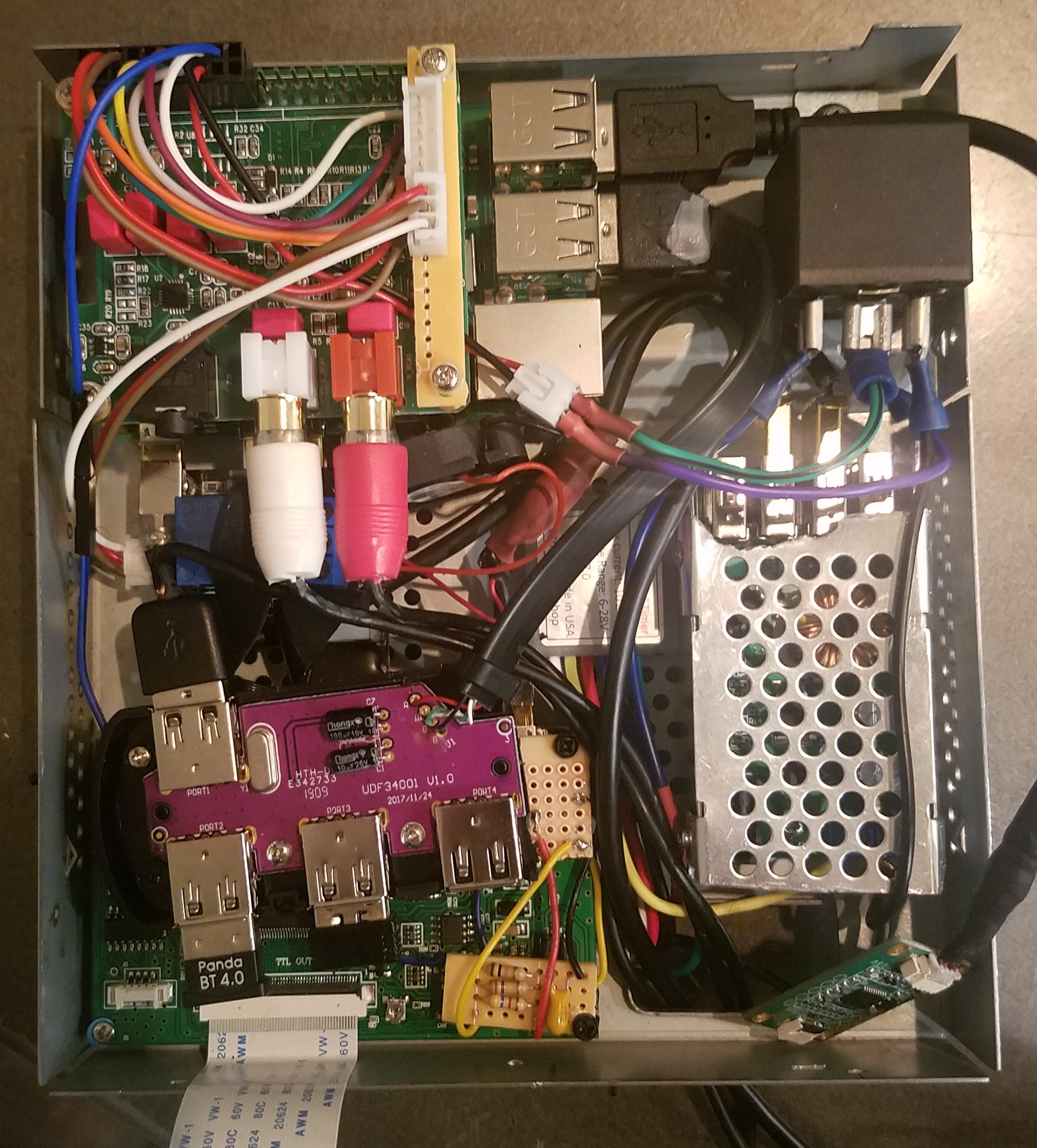
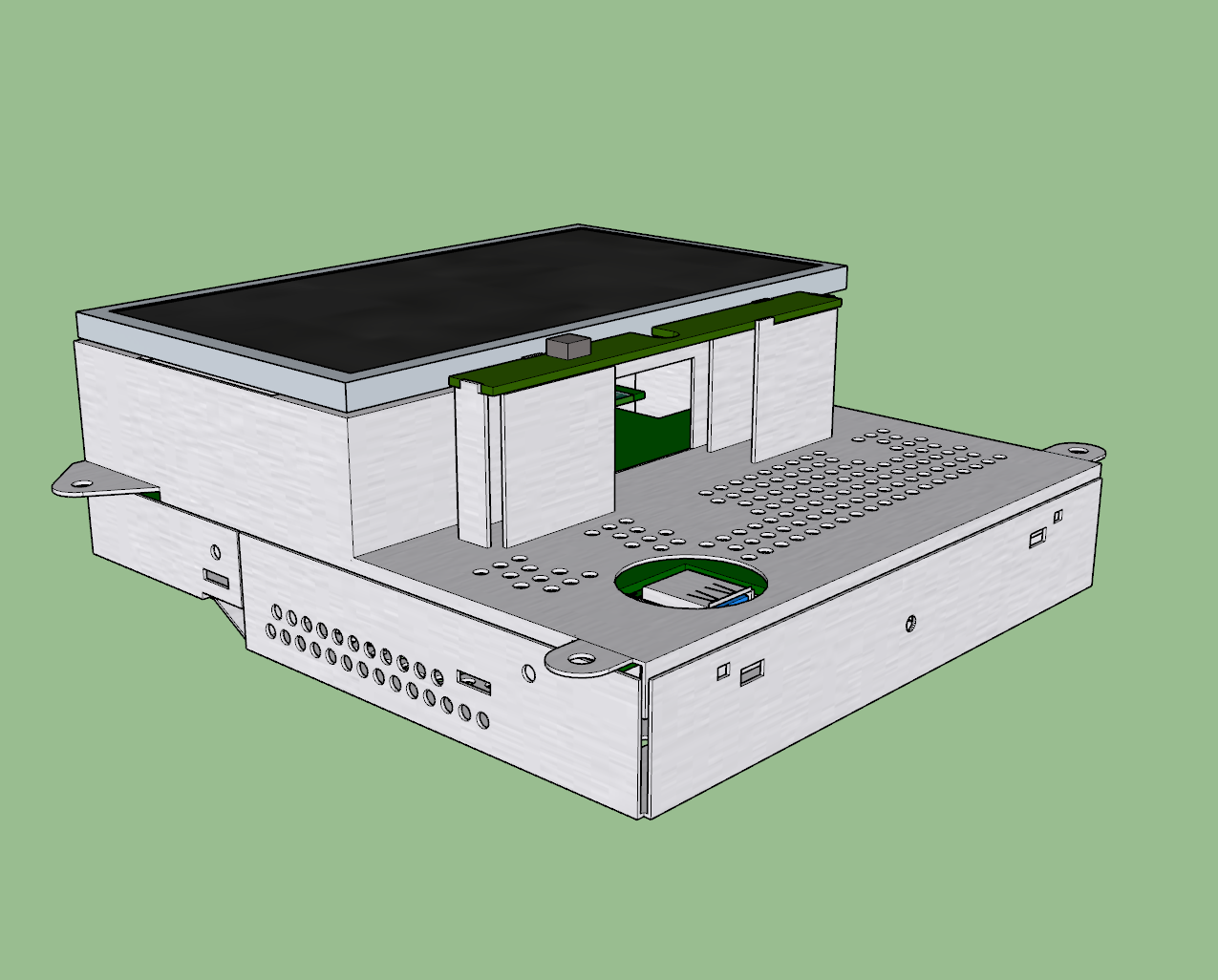
Apparently I needed to design circuit boards
The more I tried to keep the installation neat, the more I needed to connect systems that weren't designed to work together: Raspberry Pi, screen, factory audio, USB, power management, vehicle signals, and the original controls.
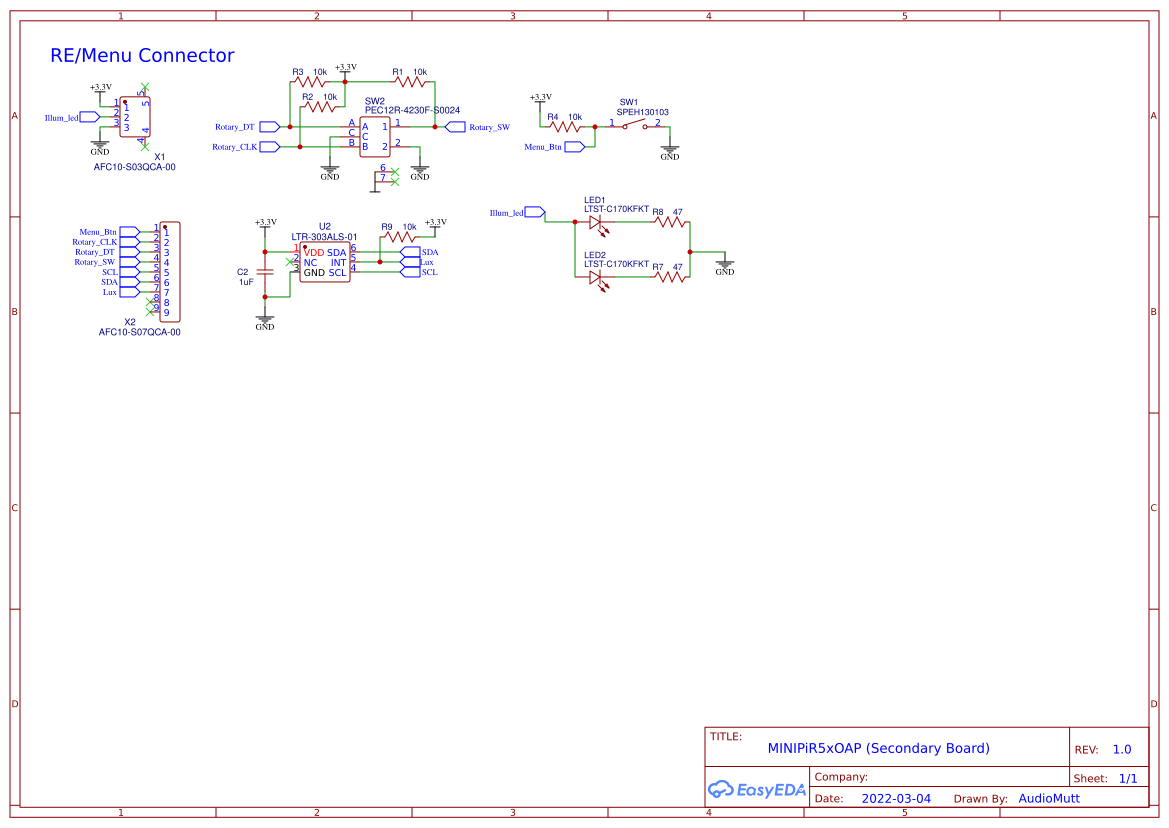
I designed a main integration board for power, audio, display connections, USB, and vehicle signals, then a separate board for the rotary control, menu button, illumination, and ambient-light sensor. I also reused the original navigation connector, keeping the car-side wiring intact. These weren't just boards to make the installation tidier; they were how I could preserve the factory interface while connecting systems never intended to work together.
The first boards exposed mistakes. I designed the USB hub around the wrong chip revision and missed a touchscreen connection in an early layout. I revised the design, but testing also challenged the idea that everything needed to live on my PCB. The integrated microphone path worked but didn't sound as good as a USB microphone; the external touchscreen controller was more dependable. I kept my custom boards where they solved a real integration problem and used external modules where they performed better.
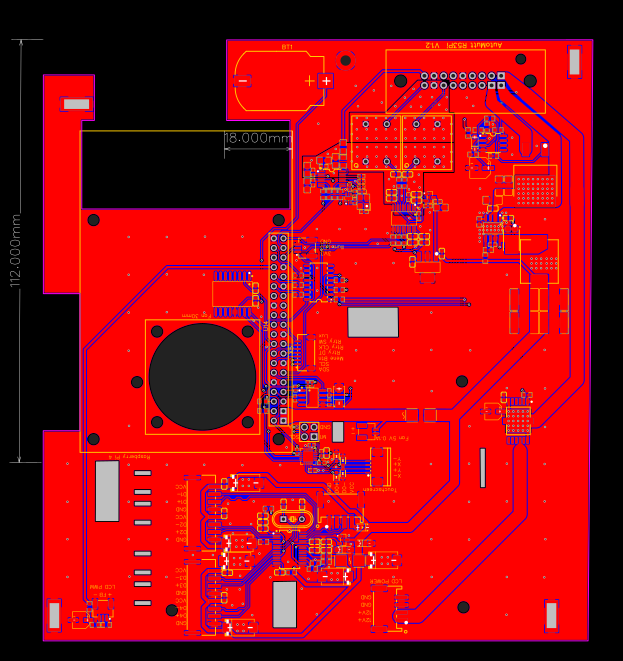

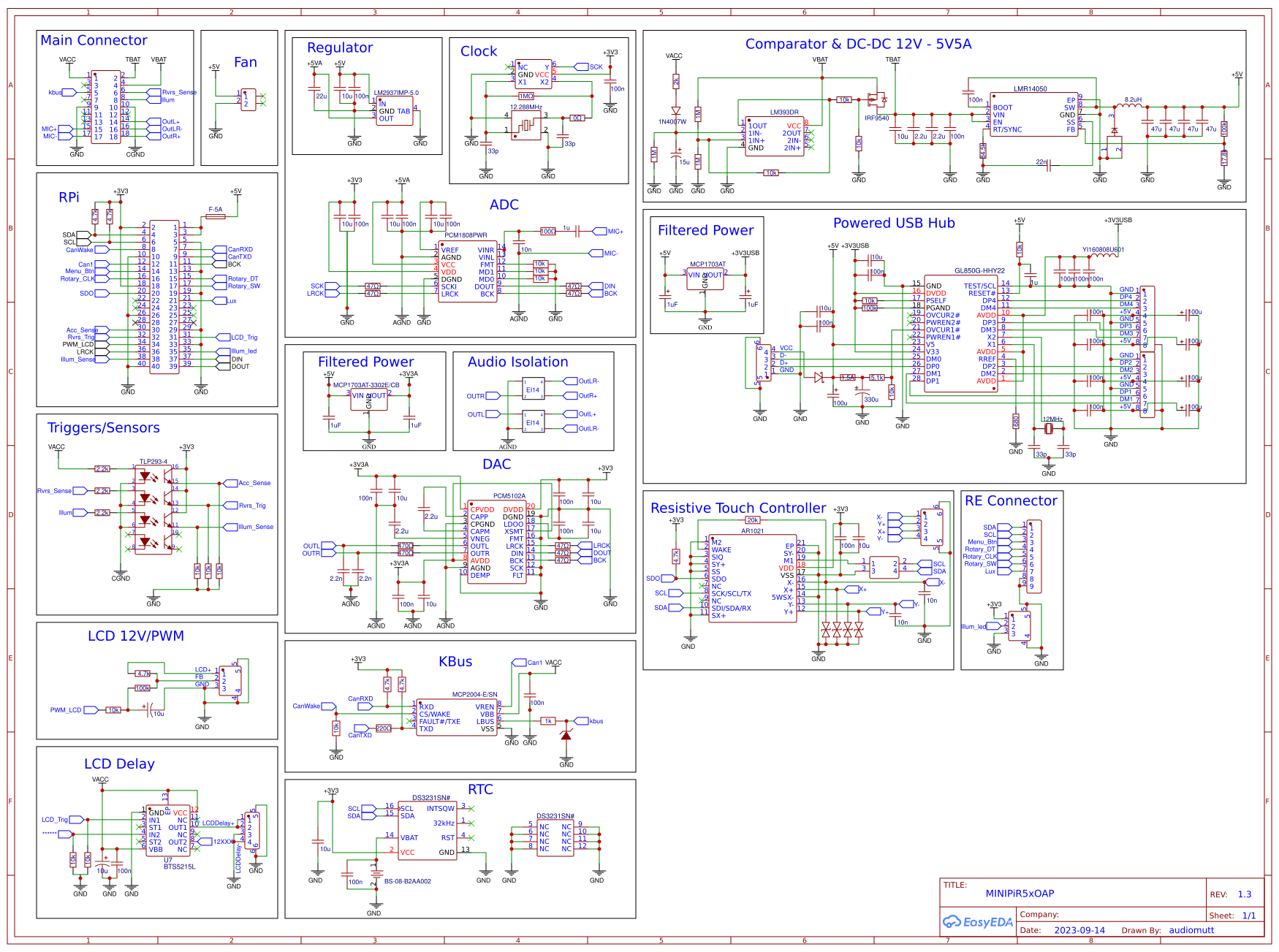
The main board schematic
This is the actual Rev 1.3 schematic I drew for the Raspberry Pi integration board. It brings the vehicle connector, power management, audio, USB, display controls, and other pieces together in one design.
Front control board schematic
Making a computer act like a car stereo
A normal computer expects someone to turn it on and shut it down. A car has other ideas. I worked out ignition-aware power control, a clean delayed shutdown, backlight dimming, and startup services so the thing behaved more like it belonged in the dashboard.
My favorite solution was starting the boot process when the car door opens. It didn't make the Pi boot any faster. It simply started the clock before someone sat down and wanted to use it, which mattered more than improving a benchmark.
I kept the factory audio chain rather than replacing it. I also tested two ways to show the reverse camera: sending video through software on the Pi or switching directly through the display controller. Direct switching was faster and removed a whole computer from something that should work as soon as the car goes into reverse. That was an easy decision once I tried both in the car.
By the 2024 build, I'd stopped trying to integrate every last function onto my own board. The installed system used my main and control PCBs alongside a few external parts that simply did a better job. OpenAuto Pro was the software used at the time, though it isn't a platform I'd recommend starting a new build around today.
Reverse Engineering the KOMBI
The factory navigation conversion introduced another problem I hadn't expected. Holly came with the Chrono Pack, and fitting the original MINI navigation display meant changing part of the car's instrument electronics. A donor KOMBI module could physically fit yet still show the wrong vehicle information, throw warnings, or behave strangely.
I started researching what was actually stored in those modules. With an R260 programmer and Rosfar software, I read the original and donor EEPROM and FLASH data, saved untouched backups, and tested which vehicle-specific data could be transferred while preserving Holly's correct identity and mileage. Through repeated tests on multiple modules, I identified EEPROM regions that worked for those transfers in my setup.
One finding surprised me: getting the vehicle information right wasn't enough. A donor module could still act broken if its hardware and FLASH versions didn't belong together. I learned that firsthand, including when I corrupted a donor during an experiment. The backups I'd made beforehand let me restore compatible FLASH data and recover it. It was a pretty convincing argument for keeping a way back before changing anything.
I also worked through the vehicle coding and checked the results with diagnostic software. The important result wasn't just making the navigation conversion work in Holly. I came away with a repeatable, tested approach to a problem that had previously involved a lot of guesswork.
I shared what I'd found with the MINI community. Other people contributed their own testing, and YulCmr's later documentation credited the EEPROM-region findings I'd tested. That was a nice surprise. The full KOMBI research notes cover the data, compatibility issues, recovery process, and what I did and didn't personally verify.
Holly Cooper, Take Two
The original head unit proved the idea, but the software didn't stand still. OpenAuto Pro is no longer maintained, and newer versions of Android have made the installation less dependable than it should be. I don't want to throw out the factory-style housing, physical controls, and vehicle integration that still make sense just because the application layer has aged out.
For the next version, I'm exploring a Raspberry Pi 5, OpenAuto Prodigy as a possible replacement interface, and a small local AI assistant. The goal isn't a chatbot that controls the car. It's useful offline functions—things like saving a note, adjusting the display, or asking about system status—with the AI interpreting requests and ordinary software deciding which actions are allowed. Ignition, shutdown, physical controls, and the rear-camera path would stay independent of it.
Before any new PCB, I need to test whether the Pi 5 actually works with the existing screen, touch controller, audio path, power supply, and enclosure. Then I'd like AI's help reviewing component choices, schematics, and board layouts, with bench measurements deciding what survives into the design. It's still a plan, not a working Version 2. That's the next part of the story.
More Holly to come
The head unit is only one piece of making Holly feel like Holly. The car has also been getting attention throughout the interior and convertible top, and we've been adding some factory options it didn't originally have. That's a bigger story than the radio alone.
For now, this is the head-unit chapter. The underlying GitHub project has the full hardware notes, software archive, schematics, and community credits for anyone who wants the details.